Why I Spent Months Optimizing a Single AI Export Button
Why I Spent Months Optimizing a Single AI Export Button
Hi everyone, I’m the person behind CatalystPack Studio.
Like many of you, I’m someone who is obsessed with order. I constantly think about how to make my workflow as frictionless as possible. When AI exploded, I was thrilled to spend hours brainstorming logic with Claude or solving complex problems with DeepSeek. But after those moments of inspiration, I realized a painful truth: That knowledge is fragile.
Every time I had to manually copy-paste and fix a broken layout in Notion, I felt my focus being chipped away. That’s why I started building InsightExporter—a tool born from these small but persistent frustrations.
Here is what I’ve poured into this tool, from the perspective of someone who demands perfection in their workflow:
1. Creating a “Safety Net” (Anti-fragility) for Fleeting Ideas
In the book Antifragile, I learned that a good system is one that can turn randomness into strength. Conversations with AI are often random and temporary.
Instead of letting them fade away in the endless chat history of ChatGPT or Gemini, I wanted to create a “safety net.” Exporting to PDF or Markdown with high fidelity isn’t just about archiving; it’s about respecting the “Aha!” moments you had with the AI. When knowledge is preserved perfectly, it truly becomes yours.
2. Connecting Directly to My “Second Brain” (Notion)
I’ve put a lot of heart into the direct sync to Notion feature. Why? Because I know the exhaustion of having too many tabs open just to save a snippet of text.
For me, a perfect workflow is when you ask DeepSeek for an action plan, and a second later, that plan is sitting neatly in your Notion database, perfectly formatted and ready to execute. No friction. No mess. That’s how I chose to free myself from repetitive busywork.
3. The Art of Refinement: When Data Becomes a Professional Asset
One of my main goals was to ensure that exported files weren’t just “copies,” but complete “designs.” I wanted the output to be something you’d be proud to share.
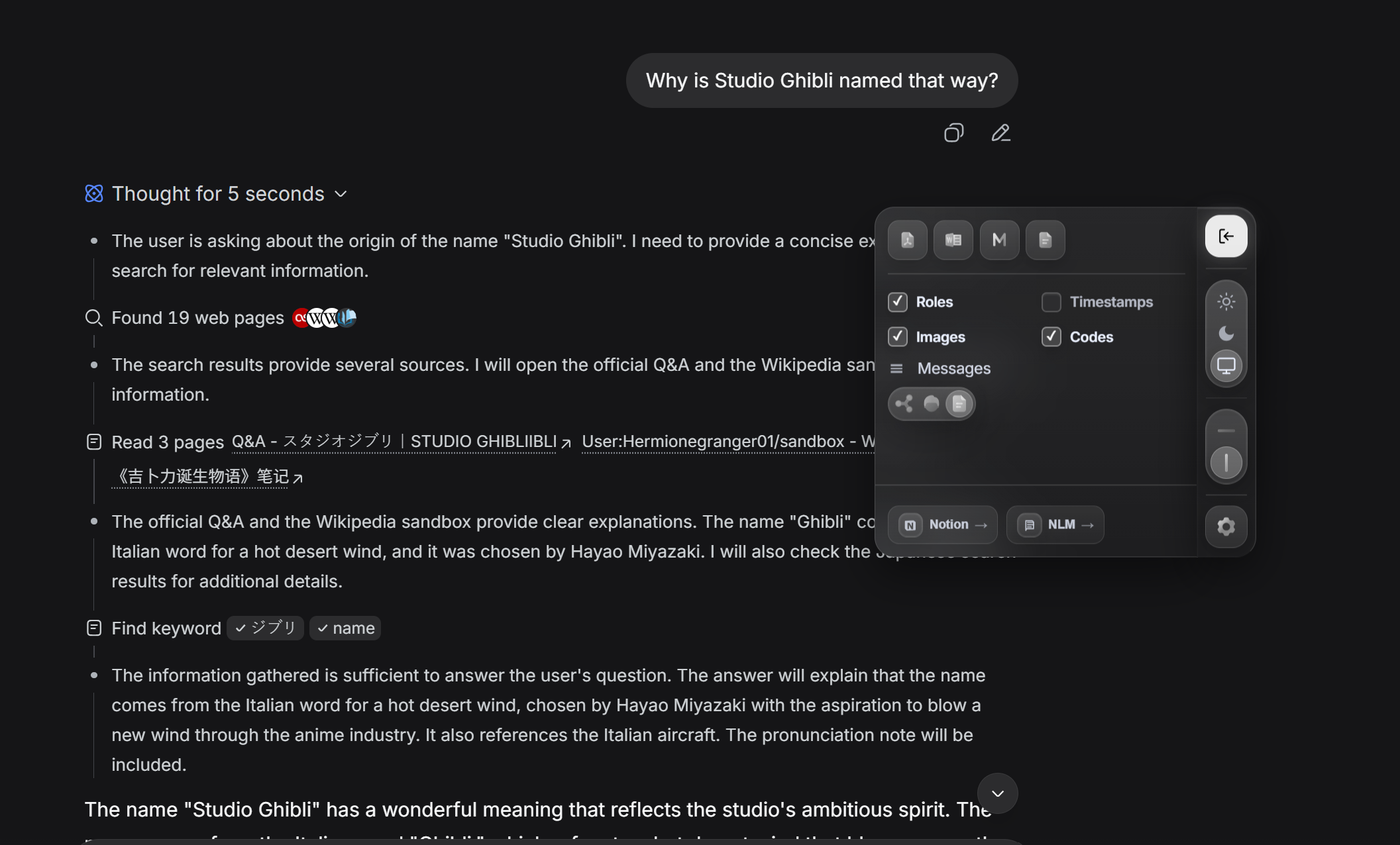
To achieve this, I integrated deep customization features that I believe every professional needs:
- Custom Branding: You can add your own Brand Name to the Header/Footer of PDF exports. This instantly transforms an AI response into a branded report ready for partners or clients.
- Flexible Layouts: Toggle between Landscape and Portrait modes, and make light edits to the content before finalizing the export. Sometimes you only need the “gold” from a conversation, not the entire transcript.
- Multi-format Versatility: InsightExporter supports high-fidelity exports to PDF, Word (Docx), Markdown (MD), and pure Text. Each format allows your knowledge to flow into the other tools you use every day.
4. Liquid Glass Aesthetics – When Tools Become “Invisible”
People often ask me why I spend so much time polishing a frosted (Liquid Glass) UI for a simple extension.
Simply because I believe in refinement. The AI interface is where we think. I don’t want a noisy, clunky tool breaking that silence. I designed InsightExporter to be almost “invisible”—transparent and lightweight, appearing only when you need it and disappearing immediately after, leaving behind a perfect result.
Your Ideas Deserve a Better “Home”
Whether you’re using ChatGPT, Claude, Gemini, or DeepSeek, what you create is the result of your intellectual effort. Don’t let those ideas die in an endless void of chat history.
I built InsightExporter to satisfy my own high standards, and now I want to share that same convenience with you.
Join me in optimizing your AI workflow today →
Built with intent and care. 😄