How to Save and Export ChatGPT Conversations Without Losing the 'Soul' of Your Content
How to Save and Export ChatGPT Conversations Without Losing the ‘Soul’ of Your Content
Hi everyone, I’m sure anyone who uses ChatGPT has faced this situation at least once: You’ve just had a deeply valuable conversation, you want to save it as a reference, but when you copy it into Word or Notion… oh boy, the formatting is a disaster. Code blocks become plain text, and tables are unrecognizable.
Saving is easy; preserving the fidelity of that content is where the real challenge lies. In this post, I’ll share the best ways to save your ChatGPT conversations, from the simplest methods to professional-grade workflows.
1. Common Methods (and why I used to hate them)
Most of us start with these three:
- Manual Copy-Paste: Free, but incredibly time-consuming to re-format.
- Screenshots: Fast, but text isn’t searchable, and file sizes are huge.
- Save as Webpage (Ctrl + S): Keeps the look, but generates a lot of “clutter” and is nearly impossible to reuse in other documents.
As I shared in my guide to exporting ChatGPT and Claude to PDF and Notion, unstructured archiving only makes your data more “fragile” over time.
2. The “Gold Standard” for Professional ChatGPT Exports
If you need a polished document for a boss or client, or you’re building a “Second Brain,” try the workflow I’ve refined:
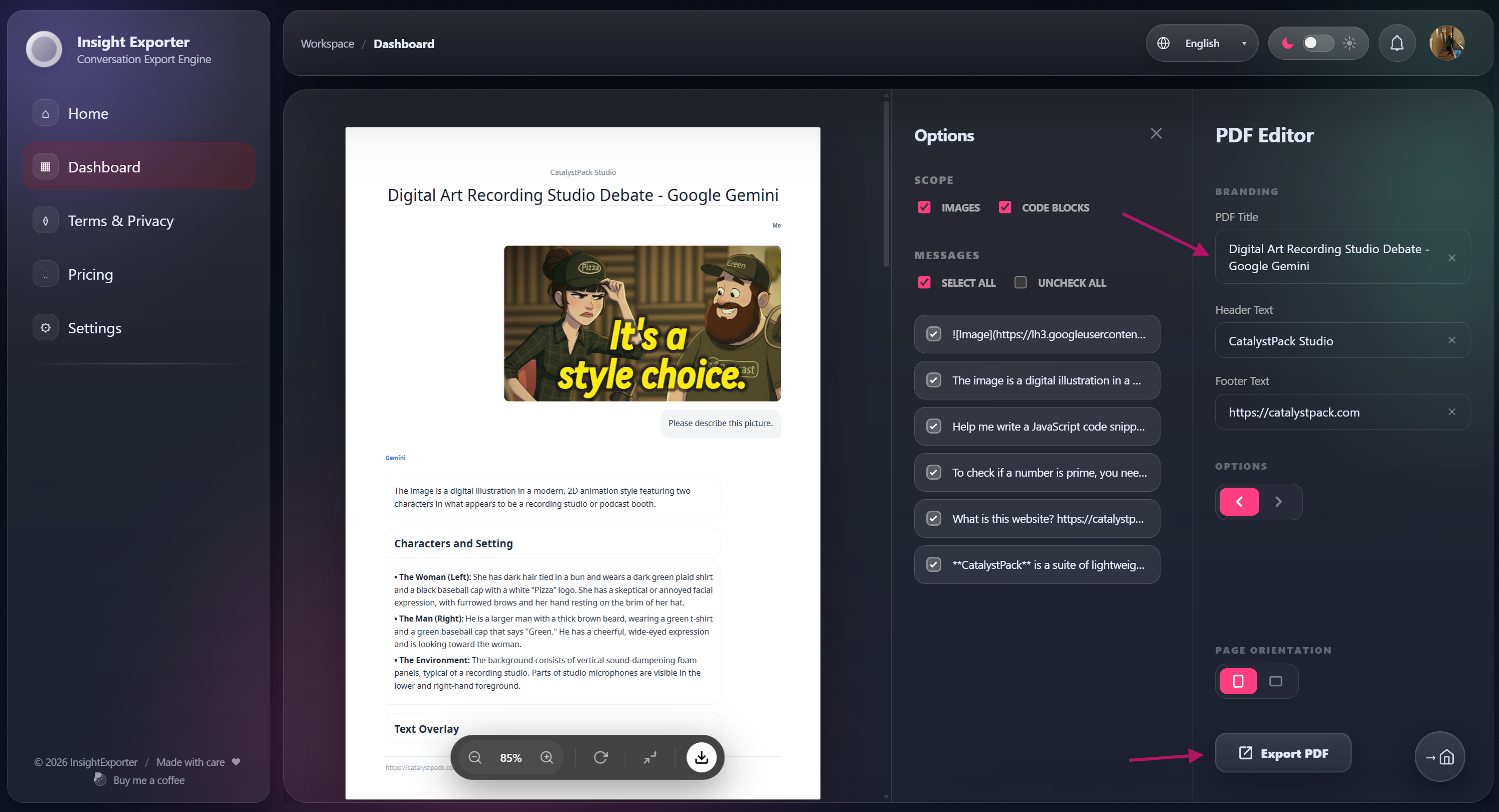
Step 1: Selective Content Picking
Don’t save every “Hello” or “Thank you.” Focus on the “gold” from the conversation to keep your archive clean and valuable.
Step 2: Personal Branding
For professional reports, I often add my Brand Name to the PDF header. It adds a layer of identity and professionalism immediately.
Step 3: Ecosystem Integration (Notion Sync)
Instead of just downloading a file, sync it directly to Notion. Every heading, bold text, and code block stays 100% intact.
3. InsightExporter – Built for Perfectionists
If you’re as “demanding” as I am when it comes to knowledge management, InsightExporter is the answer. It’s more than just an export button; it’s a solution for:
- Versatile PDF Exports: Support for Landscape mode to make tables actually readable.
- High-Fidelity Formats: PDF, Word (Docx), Markdown (MD), and pure Text.
- Liquid Glass Experience: A frosted, minimal UI that honors your focus.
👉 Learn more about InsightExporter here →
Conclusion
Your AI chat history is a treasure trove, but it only has value when you know how to “package” it and turn it into an asset you actually own. I hope these workflow tips help you manage your knowledge more effectively.
What’s your biggest frustration when saving ChatGPT chats? Let me know!
Written by someone obsessed with order. 😄